Tutorials · Blog
How to Add JSON-LD Schema That AI Engines Actually Read
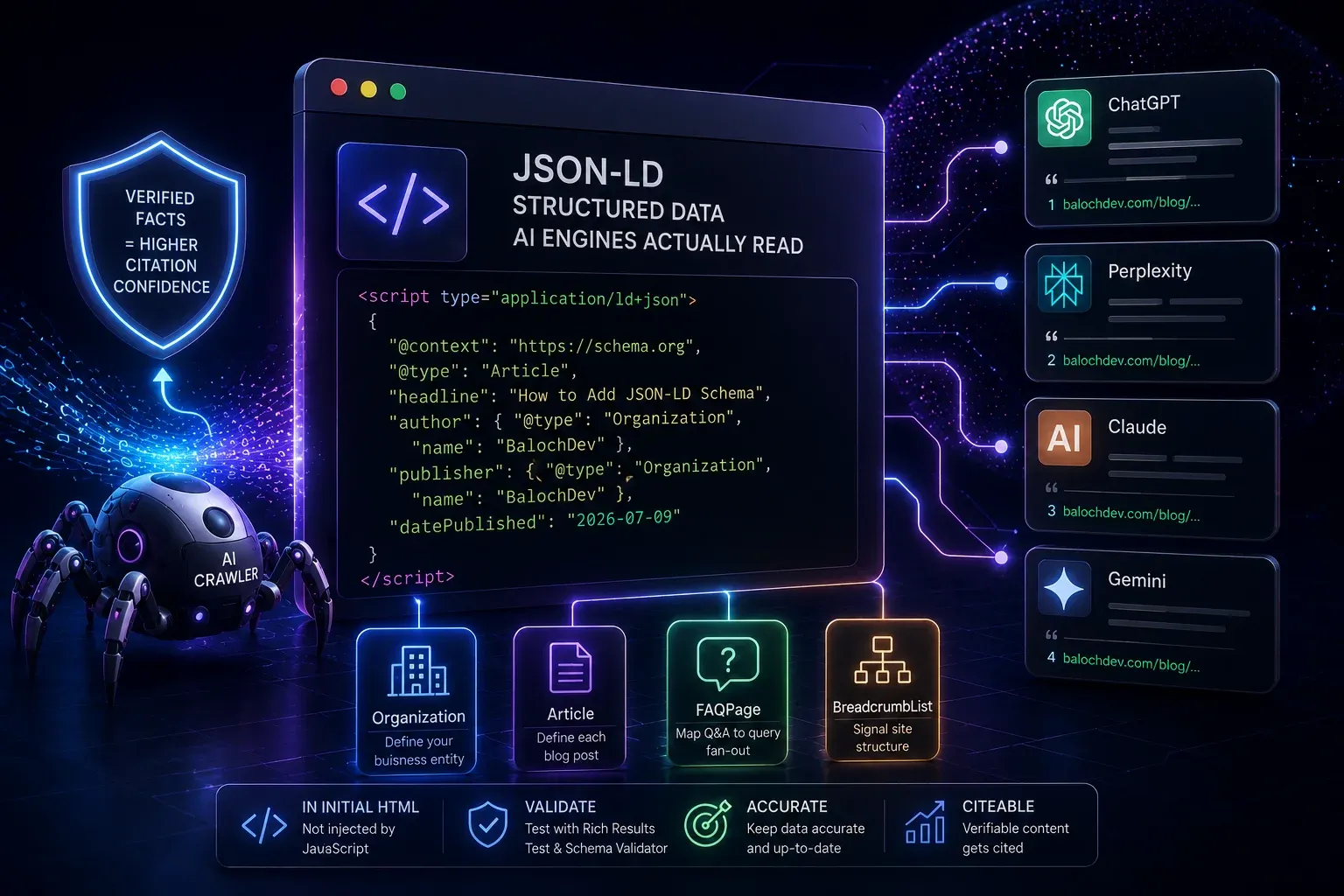
JSON-LD schema is structured data placed in a page's HTML that states — in a machine-readable format — what the page is, who published it, and what it contains. AI engines use schema to verify facts rather than infer them, and verified facts are cited with significantly more confidence than unverified ones. The four schema types that matter most for AI citation are Organization (defines your business as an entity), Article (defines each post), FAQPage (maps Q&A pairs that map directly to query fan-out sub-questions), and BreadcrumbList (tells AI where a page sits in your site). All four must be in the initial HTML — not injected by JavaScript — or AI crawlers will never see them.
This is the implementation guide: the exact schema blocks, where they go, and the mistakes that break them.
Why schema matters more for AI than for traditional SEO
Traditional SEO used schema to earn rich results in Google's SERP — star ratings, FAQ dropdowns, recipe cards. That's still valuable. But for AI citation, schema plays a deeper role: it's how an AI engine confirms that your content is what it appears to be.
Without schema, an AI retrieval system has to infer that your article is an article, that your business is a real entity with a known category, and that your FAQ blocks contain authoritative answers. With schema, those facts are stated plainly in a machine-readable format the system can parse in milliseconds. The difference shows up in citation confidence: verifiable claims are cited at meaningfully higher rates than claims the system has to guess at.
The four schema types that move the citation needle
1. Organization — define your business as an entity
This is the most important single schema block on your entire site. It goes on every page — typically in your site-wide header template — and it tells AI engines who you are, what you do, and how to find you.
{
  "@context": "https://schema.org",
  "@type": "Organization",
  "name": "BalochDev",
  "url": "https://balochdev.com",
  "logo": "https://balochdev.com/logo.png",
  "description": "An AI-first software development studio building products for GCC and international markets.",
  "foundingDate": "2024",
  "address": {
    "@type": "PostalAddress",
    "addressCountry": "BH",
    "addressRegion": "Bahrain"
  },
  "sameAs": [
    "https://www.linkedin.com/company/balochdev",
    "https://twitter.com/balochdev"
  ],
  "contactPoint": {
    "@type": "ContactPoint",
    "contactType": "customer service",
    "url": "https://balochdev.com/contact"
  }
}
The sameAs array is especially valuable: it links your Organization to your profiles on platforms AI engines already trust, which helps them resolve your brand as a distinct, verified entity.
2. Article — define each blog post
Goes on every article page. Tells AI the title, author, dates, and publisher — the signals that determine citation confidence and recency ranking.
{
  "@context": "https://schema.org",
  "@type": "Article",
  "headline": "How to Add JSON-LD Schema That AI Engines Actually Read",
  "description": "Schema markup is the machine-readable layer...",
  "author": {
    "@type": "Organization",
    "name": "BalochDev",
    "url": "https://balochdev.com"
  },
  "publisher": {
    "@type": "Organization",
    "name": "BalochDev",
    "logo": {
      "@type": "ImageObject",
      "url": "https://balochdev.com/logo.png"
    }
  },
  "datePublished": "2026-07-09",
  "dateModified": "2026-08-13",
  "mainEntityOfPage": {
    "@type": "WebPage",
    "@id": "https://balochdev.com/blog/how-to-add-json-ld-schema"
  }
}
dateModified is the freshness signal. Update it every time you revise a page and AI engines will treat the content as current.
3. FAQPage — map Q&A to query fan-out
The FAQPage schema type is the most directly GEO-native markup that exists. It maps your FAQ questions and answers into a machine-readable format that matches exactly what AI query fan-out is searching for — sub-questions with direct answers.
{
  "@context": "https://schema.org",
  "@type": "FAQPage",
  "mainEntity": [
    {
      "@type": "Question",
      "name": "Does JSON-LD schema help AI citation?",
      "acceptedAnswer": {
        "@type": "Answer",
        "text": "Yes. AI engines use schema to verify facts rather than infer them. Verified facts are cited with significantly more confidence than unverified ones."
      }
    },
    {
      "@type": "Question",
      "name": "Where does JSON-LD go in the HTML?",
      "acceptedAnswer": {
        "@type": "Answer",
        "text": "In a script tag with type='application/ld+json' inside the page's head section. Never inject it via JavaScript — it must be present in the initial server-rendered HTML."
      }
    }
  ]
}
Every FAQ section you write should have corresponding FAQPage schema. One question per mainEntity item; keep answers under 300 words and answer-first.
4. BreadcrumbList — signal site structure
{
  "@context": "https://schema.org",
  "@type": "BreadcrumbList",
  "itemListElement": [
    {
      "@type": "ListItem",
      "position": 1,
      "name": "Home",
      "item": "https://balochdev.com"
    },
    {
      "@type": "ListItem",
      "position": 2,
      "name": "Blog",
      "item": "https://balochdev.com/blog"
    },
    {
      "@type": "ListItem",
      "position": 3,
      "name": "How to Add JSON-LD Schema",
      "item": "https://balochdev.com/blog/how-to-add-json-ld-schema"
    }
  ]
}
How to implement: the correct HTML placement
All schema goes in a <script> tag inside the page <head>. It must be present in the server-rendered HTML — never injected by JavaScript after load.
<head>
  <script type="application/ld+json">
  {
    "@context": "https://schema.org",
    "@type": "Article",
    ...
  }
  </script>
  <script type="application/ld+json">
  {
    "@context": "https://schema.org",
    "@type": "FAQPage",
    ...
  }
  </script>
</head>
Multiple schema blocks on one page are fine — use separate <script> tags for each type, or combine into a @graph array.
The four mistakes that make schema invisible to AI
Mistake 1 — JavaScript injection. If your schema is added by a client-side script after page load, AI crawlers don't see it. It must be in the server-rendered HTML. (Same underlying issue we cover in Client-Side Rendering Is Killing Your AI Visibility.)
Mistake 2 — Mismatch with visible content. If your schema says dateModified: 2024-01-01 but the page shows "Updated July 2026," AI engines see a discrepancy. Schema must match what's visible.
Mistake 3 — Missing dateModified. Without it, AI engines can't assess freshness. Add it and update it on every revision.
Mistake 4 — Generic Organization with no sameAs. An Organization block with only a name and URL is weak. The sameAs links to LinkedIn, Crunchbase, or Wikidata entries are what resolve your entity against known knowledge graphs.
Validate your schema
Use Google's Rich Results Test or Schema.org's validator to confirm your markup is valid and visible. Note they check different things: Rich Results Test validates against Google's specific requirements for search features (and only covers schema types eligible for rich results), while the Schema.org validator checks against the full schema.org specification regardless of whether Google surfaces it — worth running both. Test the live URL, not the source code — this verifies the schema is server-rendered and not added by JS.
Frequently asked questions
Should I use JSON-LD or Microdata for schema? JSON-LD. Google, Bing, and every major AI engine prefer it. It's easier to maintain because it sits in the head separately from your HTML content.
Does schema directly improve my ranking? For traditional search, schema earns rich results but isn't a direct ranking factor — Google has stated this clearly. For AI citation, it's a verification signal that increases citation confidence, which functions as the AI-era equivalent of a ranking factor.
Can I have multiple schema types on one page? Yes. A typical article page should have Organization, Article, FAQPage, and BreadcrumbList all present simultaneously.
This guide is maintained by BalochDev, an AI-first software development studio. We build products — and the sites that sell them — to be found by both people and machines. Last updated 13 August 2026.
Sources & further reading
Google Search Central — "Understand how structured data works" — https://developers.google.com/search/docs/appearance/structured-data/intro-structured-data
Google Search Central — "Schema Markup Testing Tool" — https://developers.google.com/search/docs/appearance/structured-data
Schema.org — official vocabulary and Schema Markup Validator — https://schema.org